

 0
0
 0
0
Becoming a successful social media influencer requires much more than gaining followers. Creators need to consistently produce engaging content, understand their target audience, build a recognizable personal brand, create scroll-stopping videos, write compelling captions, and stay active across multiple social media platforms. For beginners, managing all these tasks can quickly become overwhelming. Fortunately, free AI tools for social media influencers can make the entire content creation process faster, easier, and more organized.
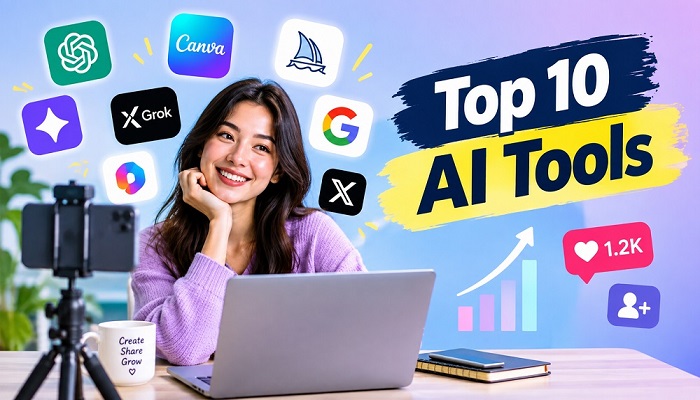
From finding viral content ideas and writing Instagram captions to editing Reels, generating visuals, creating video scripts, scheduling posts, and analyzing audience performance, AI can support almost every stage of an influencer’s workflow. The biggest advantage is that many of these tools offer free versions, allowing new creators to experiment and build their social media presence without spending heavily on software. Here are ten of the best free AI tools that can help aspiring influencers create more consistent, creative, and engaging content.
1. ChatGPT for Content Ideas, Scripts, and Captions
ChatGPT is one of the most flexible free AI tools for social media creators. It can help generate Instagram Reel ideas, TikTok video concepts, YouTube Shorts topics, attention-grabbing hooks, captions, hashtags, content calendars, storytelling ideas, and video scripts. The free version makes it especially useful for beginners who struggle to decide what to post every day.
For example, a fashion influencer can ask ChatGPT for a week’s worth of outfit Reel ideas, while a fitness creator can generate workout content themes and video hooks. Travel influencers can use it to turn destinations, travel tips, or personal experiences into multiple social media posts. This makes ChatGPT useful for maintaining content consistency while allowing creators to focus on their own personality and presentation.
2. Google Gemini for Better Content Ideas
Google Gemini is another useful free AI assistant for influencers who need help researching topics and developing content ideas. Creators can use it to brainstorm social media trends, organize content themes, create video outlines, rewrite captions, and explore different angles for a topic.
One of the biggest challenges for influencers is running out of ideas. Gemini can help turn one broad topic into multiple posts designed for different platforms. A creator discussing skincare, for instance, can develop educational Reels, product-comparison videos, beginner tips, frequently asked questions, and myth-busting content around the same niche.
3. Canva for Free AI Social Media Design
Strong visual branding is essential for social media influencers, particularly on Instagram, Pinterest, YouTube, and other visual platforms. Canva helps creators design social media posts, Instagram Stories, carousels, thumbnails, media kits, promotional graphics, and branded templates without requiring professional design skills.
Its free plan also provides access to selected AI features that can help with writing and design. Influencers can use Canva to create a consistent visual style, typography system, thumbnail format, and post layout. A recognizable visual identity can make a creator’s content easier for followers to remember while also making sponsored content look more professional.
4. CapCut for More Engaging Reels and Short Videos
Short-form video is one of the most important content formats for modern influencers, and CapCut can help creators turn basic phone footage into engaging Reels, TikToks, and YouTube Shorts. The platform includes free editing tools and AI-assisted features for captions, effects, text, transitions, audio, and other video-editing tasks.
Influencers can use CapCut to add subtitles to talking videos, cut unnecessary sections, improve pacing, create attention-grabbing openings, and format videos for vertical viewing. Instead of spending hours learning complex editing software, beginners can create polished short-form videos directly from their phones or computers.
5. Microsoft Designer for AI-Generated Social Media Visuals
Microsoft Designer is a useful free AI design tool for influencers who need original social media graphics quickly. Creators can describe a visual concept and use AI-assisted design features to develop social posts, promotional graphics, images, and other visual content.
This can be particularly useful when an influencer needs a quick promotional graphic, announcement, quote image, thumbnail concept, or original visual. Beauty, fashion, technology, food, travel, and lifestyle creators can use AI-generated visuals to complement their video content while maintaining a consistent brand style.
6. Adobe Express for Building a Consistent Creator Brand
Adobe Express combines design and content creation features that can help influencers produce social media posts, videos, Stories, thumbnails, promotional graphics, and branded content. Its free version gives creators access to standard design tools along with selected AI-powered features.
For influencers working with brands, Adobe Express can also be useful for creating media kits, campaign graphics, announcement posts, and polished promotional materials. A consistent brand appearance across Instagram, TikTok, YouTube, and other platforms can make a creator’s online presence feel more professional and recognizable.
7. Clipchamp for Easy Influencer Video Editing
Microsoft Clipchamp is a practical option for creators who want free video-editing tools without complicated software. Influencers can use it to edit YouTube videos, Shorts, tutorials, reviews, interviews, reaction videos, and other social media content.
Its AI-assisted features can help with tasks such as automatic captions, text-to-speech, noise reduction, and other editing improvements. This can be especially useful for beginner influencers who record content with a smartphone and want to improve the final video before publishing it.
8. Buffer for Consistent Social Media Posting
Posting consistently is one of the biggest challenges for new influencers. Buffer’s free plan can help creators schedule social media content instead of manually publishing every post. Its AI features can also assist with developing and refining social media copy.
An influencer can prepare several captions and social posts in advance and organize them around a weekly content strategy. This helps create a more consistent posting routine, which is useful when managing multiple social media platforms while also creating new content.
9. Metricool for Understanding Audience Engagement
Creating content is only half of influencer marketing. Understanding audience behavior is equally important. Metricool offers free social media management and analytics features that can help creators examine content performance and identify trends in their social media activity.
Influencers can use analytics to understand which videos attract more views, which posts generate stronger engagement, and what type of content receives a better response from their followers. These insights can help creators make smarter decisions about future content instead of relying entirely on guesswork.
10. InVideo AI for Creating Faceless Social Media Videos
InVideo AI can be useful for influencers who want to experiment with faceless content, educational videos, storytelling, product explainers, and other AI-assisted video formats. Its free access allows beginners to explore AI video creation without immediately paying for a subscription, although free usage comes with limitations.
Faceless content can be useful for creators who are not comfortable appearing on camera or who want to develop additional content formats. Influencers can combine AI-generated scenes, narration, text, and their own creative ideas to produce informative or entertaining social media videos.
Use AI to Build a Smarter Influencer Content Strategy
Using AI tools alone will not make someone a successful influencer. What matters is how these tools are used as part of a larger social media strategy. Start by choosing a clear niche such as fashion, beauty, travel, gaming, fitness, food, technology, personal finance, or lifestyle. Then create recurring content themes that your audience can easily recognize.
AI can help you turn those themes into a repeatable content system. ChatGPT and Gemini can support brainstorming and scripting, Canva and Microsoft Designer can help with visual content, and CapCut or Clipchamp can improve short-form videos. Adobe Express can support content creation, while Buffer and Metricool can help creators stay organized and monitor performance.
The goal should not be to publish as much AI-generated content as possible. Instead, use AI to save time on repetitive tasks so you can focus on storytelling, personal experiences, creative ideas, audience interaction, and building trust with your followers.
Turn Followers Into a Strong Personal Brand
A successful social media influencer is more than someone with a large follower count. Strong creators develop a recognizable identity that makes people want to keep watching, reading, and interacting with their content. Your personality, opinions, expertise, style, humor, and personal experiences are what separate your content from thousands of similar accounts.
Free AI tools can help you improve the production side of your influencer business, but your unique voice should remain at the center. Use AI for brainstorming, editing, organization, research, and content assistance, then add your own perspective before publishing. This balance can help your social media content feel more authentic while allowing you to create consistently.
Build Your Creator Workflow Around AI
The easiest way to start is to create a simple creator workflow instead of trying to master every AI tool at once. Use ChatGPT or Gemini for content ideas, Canva or Microsoft Designer for graphics, CapCut or Clipchamp for video editing, Buffer for scheduling, and Metricool for performance tracking. Adobe Express and InVideo AI can fill additional gaps when you need design, scheduling, or AI video creation.
With the right free AI tools for influencers, even beginners can create professional-looking content, maintain a regular posting schedule, experiment with new formats, and understand their audience better. AI can make content creation easier, but consistency, creativity, originality, and genuine audience connection are what can turn a new creator into a memorable social media influencer.


